Plagued by a violent recurring nightmare, college student Stefanie heads home to track down the one person who might be able to break the cycle and save her family from the grisly demise that inevitably awaits them all.
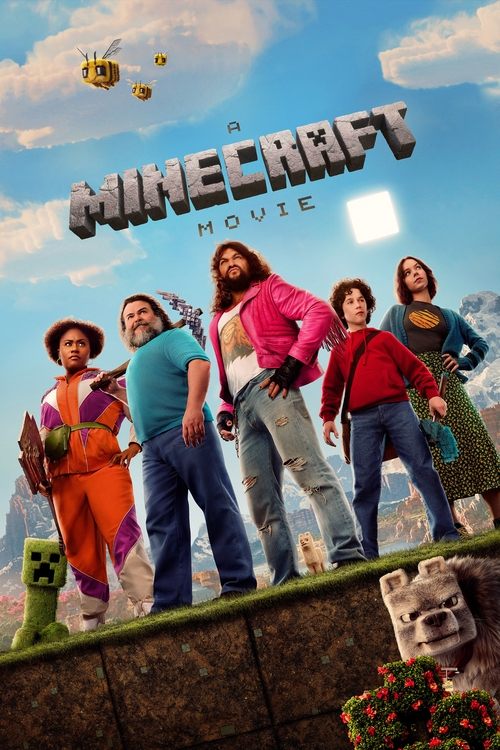
Four misfits find themselves struggling with ordinary problems when they are suddenly pulled through a mysterious portal into the Overworld: a bizarre, cubic wonderland that thrives on imagination.
A horror film with friends. An adventure on the biggest screen in the house. A series you start almost by accident and keep thinking about the next day. PopcornMovies brings those choices together, with movie and TV search, an easy-to-browse catalog and My List for everything you want to come back to.
Watch movies online without losing the evening to browsing
Some nights begin with a title. Others begin with an agreement that you would like to watch something, followed by twenty minutes of everyone rejecting a different suggestion. Start PopcornMovies with whichever kind of night you are having. Search the name when you know it. Open a genre or a collection when you only know the feeling you want. The movies come first; the longer explanations are here when a question gets in the way.
Our featured movies put different choices next to one another. Final Destination Bloodlines brings horror into the conversation, A Minecraft Movie offers an adventure, and Spirited Away opens the door to animation. They are not interchangeable recommendations for the same audience. Compare the premise, the genre and the people watching with you. A good choice can be something familiar, something surprising or simply the film everyone agrees they would like to finish.
Read a title's details, save it if you are undecided, or use Watch now to look at viewing options. That button opens the relevant JustWatch search, with your selected country used for regional results. You can compare the available services there and continue to the one that suits you. Keep PopcornMovies open if you want to return to the other contenders. Choosing one film does not mean losing the rest of your shortlist.
One place for movies and TV shows online
A film and a television series ask for different commitments. A movie usually gives you a beginning, middle and ending in one sitting. A series lets a setting and its characters become part of your week. PopcornMovies keeps Movies and TV Shows separate in the navigation so you do not have to sift through both when you have already decided which kind of evening you want.
The catalog includes original names, release information, genres and descriptions. Those details are useful even when a poster looks instantly familiar. A remake may borrow the same title. A film may share a name with a show. An animated adaptation can be a different production from the live-action version you remember. The year and format beside the title help resolve that uncertainty before you follow a watch link.
Move between the movie shelves and the television selection whenever your plans change. There is no need to complete an onboarding interview or rate a batch of old favourites before browsing. Search is available immediately, and My List gives you a place to keep an unfinished decision. For a larger choice of categories, visit Genres, then narrow the results to the type of title you actually want. A wide catalog becomes useful when you can make it smaller.
What free movies online means for your choice
You can browse PopcornMovies, read movie details and create a local watchlist without paying for a browsing account. Finding free movies online is a separate step from finding the movie itself. A title may have a free, advertising-supported option in one country, a subscription option somewhere else, or only a rental offer at the time you check. The viewing results are where those differences become clear.
If keeping the evening free is your priority, start with the film you want and look for an offer explicitly described as free or advertising-supported. Do not read a subscription's introductory trial as a permanent free-movie offer. Equally, do not assume that a film is unavailable just because the first service shown charges for it. Compare the available choices and read the terms of the option you are about to open.
A useful fallback is to keep two films from the same genre in My List. If the first choice has no suitable free offer in your country, check the second without beginning the whole search again. This is especially practical for a spontaneous group watch, when nobody wants to set up another subscription for a single evening. The goal is a movie you can actually start under terms that work for you, not an impressive list of titles you cannot watch.
Search with the part of the title you remember
A distinctive word often works better than a long description of a scene. If you remember Bloodlines, search that. If your friend said A Minecraft Movie, keep the movie name instead of searching only for the game. The search on PopcornMovies looks through the available movie and series records; it is most useful when the words you enter are close to a title or its description.
When a search gives no results, shorten it before abandoning it. Remove the season number, extra punctuation or phrases such as full movie online. Then use the result's year and format to identify the right production. A useful test is whether you are searching for the name of a story or for an instruction to a search engine. The story's name normally provides the cleaner starting point inside the catalog.
Filters can also make an otherwise good query look unsuccessful. If you were browsing animated films and then search for a live-action drama, clear the previous restrictions. Set the format you want, check the selected year and try again. There is no benefit in repeatedly submitting the same query while an unrelated filter remains active. Our search guide explains how to recover from an empty result and how to distinguish a missing catalog entry from an unavailable viewing offer.
Trending, latest and top-rated are different shelves
Trending now is a starting selection, not a command to watch whatever appears first. It is useful when you want something to react to rather than a blank search box. Latest movies gives the evening a release-date focus. A highly rated shelf offers another perspective, but a strong score alone cannot tell you whether you want a horror film, a gentle drama or a loud adventure tonight.
The Top IMDb navigation label is a familiar place to look for highly rated titles. Read the rating attribution on a movie's detail page: the community scores displayed here come from TMDB. They are not IMDb ratings, cinema audience surveys or a guarantee that everyone in your group will like the film. Use them alongside the premise and genre, especially when deciding between two movies you have never heard of.
Release dates deserve similar care. A new addition to your personal list might be an older movie you missed, while a film with a recent year may still have different release schedules across countries. Use Latest when recency matters, and explore older years when it does not. PopcornMovies does not require you to treat the newest poster as the best choice. An older favourite can make a much better evening than a new release chosen only because it is new.
Build a shortlist people can actually agree on
For a shared movie night, three candidates are usually more useful than thirty. Give each person a chance to suggest a film, then compare the stories rather than defending a favourite poster. Ask two simple questions: what mood do we want, and what do we definitely not want tonight? Those answers can remove more uncertainty than a long debate about which film has the highest score.
A group that wants suspense without graphic horror should not begin by assuming every thriller fits. A family choosing animation still needs to check the audience information. A couple looking for romance may prefer a bittersweet drama to a comedy. Genre labels point in a direction; the title description gives you a better sense of the actual film. Read enough to choose, but leave a mystery's solution and an adventure's big surprises for the screen.
Put the finalists in My List and check viewing options before everyone settles down. If one requires an account nobody has, move to the next agreed choice. You can return to the first film another night. A shortlist is not a ranking of permanent favourites. It is a small collection of realistic options for the people, time and screens you have right now.
Horror night: choose the kind of tension
The Horror night collection begins with films whose genre includes horror, but that category contains very different experiences. Some movies build unease slowly. Others rely on frightening confrontations, unsettling imagery or a premise that turns ordinary surroundings into a source of dread. Choose the kind of tension you enjoy instead of assuming that liking one horror film means wanting every other kind.
Final Destination Bloodlines is one of our featured choices. Its full subtitle matters when looking for that particular movie rather than an earlier entry in the franchise. You can open its details without needing to read a scene-by-scene breakdown. For viewers comparing films in a series, the title and release year are better starting points than a spoiler-heavy explanation of how every ending connects.
Consider who is sharing the room. Headphones, a small screen and a quiet solo watch create a different experience from a large television with friends. Someone who enjoys the atmosphere of a mystery may not want the intensity of a graphic horror film. Audience classifications and content notes at the viewing service help settle that question. Once everyone is comfortable with the choice, leave the phone searches alone and let the film deliver its own surprises.
Adventure movies for a bigger-screen evening
Sometimes the choice is not about a particular franchise. You want a journey, an unfamiliar world or a film with enough momentum to pull the whole room into it. The Adventure movies collection is a useful place to start. Compare the settings and the scale of the story, then check whether you are opening a complete movie, a sequel or a production with a similar name.
A Minecraft Movie is available as a title in the PopcornMovies catalog. Search the film name when that is what you want, rather than following results about gameplay or fan videos. This distinction applies to adaptations more broadly: knowing a game, book or earlier screen version can help you recognise a title, but it does not make every similarly named video the same production.
For a film with expansive scenery or busy action, a larger screen can be worth preparing in advance. Check the viewing app on the television, choose the intended audio track and make sure subtitles are readable from the seats people will use. The exciting part should be the movie, not the discovery that a remote is missing or the TV has opened a different account. A little setup before the opening scene lets the adventure keep its momentum.
Animation is more than one audience or style
Animated movies can be funny, frightening, romantic, reflective or wonderfully strange. PopcornMovies gives animation its own collection without treating every animated title as interchangeable family entertainment. The movie's story, intended audience and tone matter as much as whether its images are drawn, modelled or created with computers. Read the details when choosing for children or for a mixed-age group.
Spirited Away appears in our featured selection, while Rick and Morty belongs to the television catalog. They demonstrate why format matters as well as medium. One is a film you can choose for a single sitting; the other is a series with episodes to select. Neither should be confused with another title simply because the artwork is animated. Our animation guide helps you move between film and television choices.
Language can change the practical decision. Some viewers prefer an original audio track with subtitles, while others want a dub they can follow without reading. Look at the actual audio choices for the edition offered in your country. An original-language label in the catalog identifies the production, not every soundtrack a service carries. Choose the version that suits the people watching, and sample a short exchange before settling into a long film.
Romance, drama and a change of pace
A movie night does not need a disaster, a chase or a mystery to hold your attention. A relationship can provide the whole reason to keep watching. Our romantic movie selection gives you a different direction when a busy action film feels like too much. Look for the sort of relationship and emotional tone that interests you, not just a familiar actor or an appealing couple on a poster.
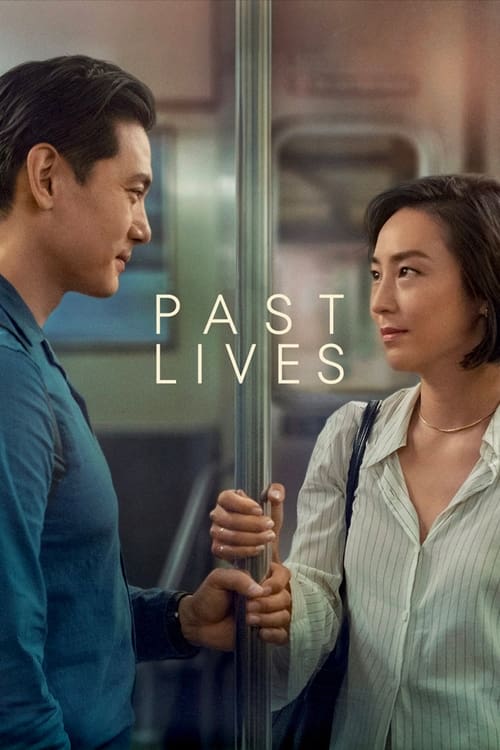
Past Lives is one of the films you can explore in the catalog. Read the premise before deciding whether it matches the evening you want. A romance label does not promise a happy ending, and a drama label does not mean a film will be slow or humourless. The most useful description is one that helps you choose while leaving the emotional discoveries inside the film.
For a quieter watch, dialogue clarity may matter more than spectacular picture settings. Try the soundtrack before turning the volume up dramatically, and use subtitles if they help you catch softly spoken lines. If you are watching late at night, headphones can make the experience more comfortable without disturbing everyone else. There is no single correct setup for every movie. Choose the one that lets this particular story hold your attention.
TV shows for one episode or a whole new routine
The first episode of a series is a different kind of invitation from a feature film. You may be trying a programme for half an hour, returning to familiar characters or finally starting a show friends have mentioned for months. Open TV Shows to keep the choice focused on programmes rather than mixing films and episodes in the same search.
A series page gives you the programme's identity and its starting year. That year is not the date of every episode. When you continue at a viewing service, choose the season and episode you want there. If you stopped halfway through a season, keep the last completed episode noted so you do not have to read summaries of later chapters to work out where you were.
My List saves a series for easy return in this browser. It is not a playback history, and saving a programme does not mark any episode as watched. That distinction makes it useful for both current favourites and shows you have not started. Keep a few possibilities ready, but do not feel obliged to begin all of them. Sometimes the right choice is another episode of the series you already enjoy.
Korean series, mystery TV and subtitles that fit
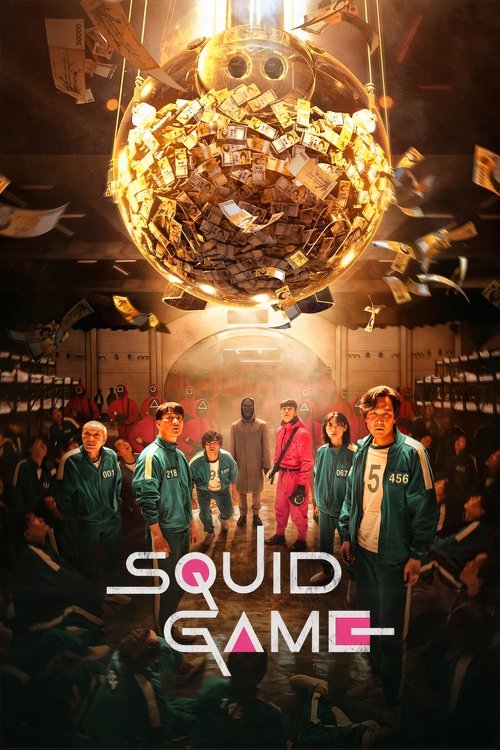
The Korean TV collection gives language a place in browsing without reducing every Korean programme to a single genre. A thriller, a relationship drama and a high-concept series can share an original language while offering very different evenings. Pair the language choice with a genre or read a few premises before choosing what to begin.
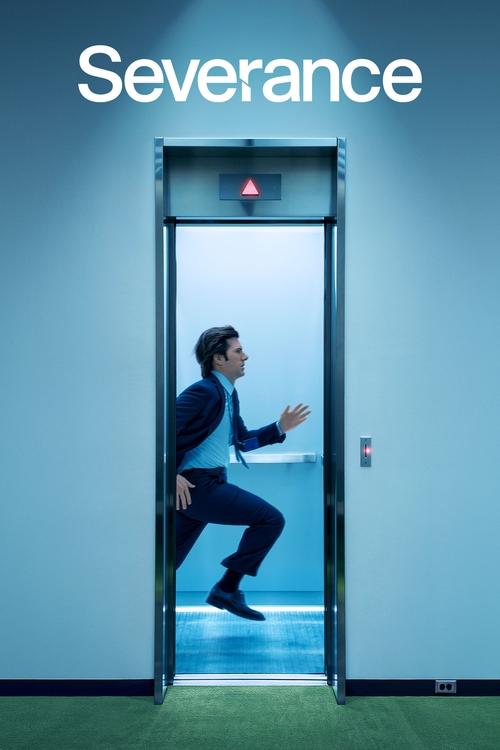
Our mystery series collection takes the opposite approach: begin with a genre and let language or setting be part of the discovery. If you enjoy following a question across episodes, choose a programme whose opening situation interests you. Avoid reading later-season descriptions just to decide whether the first episode is worth trying. Those summaries can answer questions the early episodes are meant to raise.
For subtitled television, comfort over a whole episode matters. Select the language you read most easily and check whether the service offers closed captions or ordinary subtitles. A dub can be a useful option when you want to look away from the screen occasionally, but availability varies by edition. Set these preferences before the story becomes complicated. It is easier to follow unfamiliar names and relationships when you are not also searching through the player's menus.
Find the latest episode without choosing the wrong programme
When you search for a latest episode, keep the programme name first and the season information second. Different shows can share a short title, and different national editions of a programme can have entirely separate casts and schedules. An episode number alone is rarely enough to identify the thing you wanted to watch.
Begin from the series you recognise on PopcornMovies, then open the episode listing at the viewing service. Check the season label, episode title and available release date. A new trailer, recap or behind-the-scenes clip is not the same as the latest complete episode. Equally, a programme that began several years ago may still have new seasons; the starting year on its main page does not tell you the release date of the latest chapter.
If an expected episode is missing, compare the release schedule for your country and the service you are using. Avoid restarting your device repeatedly when the episode has simply not appeared in that catalog yet. You can keep the series saved and return later, or choose another programme for tonight. Our series guide explains how to keep film, programme, season and episode searches from getting mixed together.
HD streaming, 1080p and the picture you actually see
A sharp movie poster does not tell you the resolution of a video. For HD streaming, look at the edition and playback options offered by the service carrying the film. A 1080p label describes a picture format, not a promise that every screen, connection and account will display that resolution at every moment. The film's source and the compression used for the video also affect what you see.
PopcornMovies helps you identify the movie and reach its viewing choices. The destination's player handles the actual video. If you are comparing offers, check the listed resolution before starting, particularly when renting a film or selecting among editions. Do not assume the cheapest and most expensive options are identical, but do not assume that a higher price automatically produces a better experience on your particular screen either.
Once playback begins, give the picture a moment to settle before changing several settings at once. If it remains soft, check the selected quality and the connection. For a movie dominated by conversation, clear sound and readable subtitles may improve the evening more than chasing the highest possible resolution. For a film full of scenery, the larger picture may matter more. Choose the setup for the title, not the label alone.
When 4K streaming is worth setting up
4K streaming can be a good match for a compatible television and a film with an available high-resolution edition. It is not a feature you unlock by adding 4K to a movie's name in the search bar. The service, plan, title, device and connection need to support the offered playback format. When one part of that combination does not, the player may deliver a different resolution.
Use the destination's own requirements instead of treating advice for one app as a universal rule. For example, Netflix's video-quality help explains the conditions for its playback. Another service may have different device or subscription requirements. High dynamic range is also a separate consideration from resolution. A 4K picture and an HDR picture are related viewing options, not interchangeable words.
Before a planned film night, open the service on the device you intend to use and inspect the available edition. That is more useful than assuming an offer visible on a phone will have exactly the same capabilities in an older Smart TV app. If 4K is unavailable, a stable HD presentation may still be an excellent watch. Do not let a settings hunt consume the time you set aside for the movie.
Sound is part of the film, not a last-minute extra
Clear dialogue changes how comfortably you can follow a story. If voices seem quiet while music and effects are loud, first check the audio track and your device's sound settings. A television, headphones and a sound system can handle the same soundtrack differently. Turning the master volume up is not always the most helpful first adjustment.
Make a short test with the people who will be watching. Can someone seated farther from the screen understand the dialogue? Are subtitles readable without covering faces? Does the chosen output actually use the headphones or speakers you expected? These questions are especially useful when a television has recently been connected to another device or someone else last used the viewing app.
Keep the original language and an available dubbed track separate in your mind. Selecting a dub changes the spoken performance you hear; selecting subtitles adds text to the picture. If the audio language is wrong but the picture looks right, open the audio menu rather than searching for a different copy of the movie. For a quiet evening, a comfortable soundtrack at a modest volume is often the best improvement you can make.
Subtitles, captions and reading comfortably
Subtitles can help with a film in another language, a softly spoken line or a room where you cannot turn up the sound. Captions may include extra information about sounds and speakers. Choose the option that matches what you need, then watch a short exchange before deciding the settings are comfortable for the whole movie.
The PopcornMovies subtitle guide focuses on practical adjustments: choose the right language, check whether the words match the audio and find the size or background controls if the player provides them. Subtitle customization belongs to the viewing app, so not every screen exposes the same options. A setting changed on one device may not carry over to another.
For a mixed-language group, agree on a soundtrack and subtitle combination everyone can follow. Avoid assuming that a movie's original-language label guarantees a specific translated subtitle track. Check the edition you are opening in your country. If text seems persistently ahead of or behind speech, confirm the selected track and try reopening playback. A subtitle problem is different from a missing movie, and it does not necessarily mean you need to change the film you chose.
Mobile streaming starts with a choice that fits your screen
PopcornMovies is available through a browser on a phone. Search, movie details and My List let you choose something while travelling, waiting or planning the evening away from your television. You do not need to download a separate catalog application before looking through the films and shows.
For actual mobile streaming, continue through the viewing option you choose. That service may play in the browser or ask you to use its app. Check the network you are on and whether video will use a limited mobile-data allowance. A higher-resolution setting may be unnecessary on a small screen, particularly when a consistent connection and readable subtitles are more important to you.
Hold the phone in the orientation that makes the film comfortable to watch, and use headphones when sound from the surroundings competes with dialogue. If you are only planning a later television watch, save the title rather than starting it immediately. Remember that the PopcornMovies list belongs to the browser where you saved it. Keep the full title handy when you switch to a different device, since a browser-local list is not an account that automatically follows you everywhere.
Tablets and laptops: a little more space to compare
A tablet is a useful middle ground when you want a larger picture without using the living-room television. It also makes poster browsing and reading descriptions less cramped. On a laptop, you can keep a few title pages open while choosing, then close the contenders once you have made the decision. The point is to reduce indecision, not create an ever-growing wall of tabs.
If you have been filtering the catalog for a particular mood, revisit those filters when another person joins the watch. A selection made for a solo horror evening may not be appropriate for an unexpected family movie night. Changing the genre and format is faster than trying to make every old result fit a completely new plan.
Before playback, make sure the device has enough battery or a convenient power connection. If you connect a laptop to a television, choose the intended audio output as well as the display. A picture on the television with dialogue still coming from the laptop can be surprisingly easy to miss during setup. Test the arrangement while you can still adjust it without interrupting an important scene.
Smart TV viewing without an awkward search
Typing a long title with a remote is rarely the best part of a movie night. Use PopcornMovies on a phone or laptop to settle the choice first. Note the full name and year, then open the matching film in the viewing app on your Smart TV. This can be simpler than expecting a television browser to behave like a desktop browser.
A compatible TV browser may let you read the site, but playback support depends on the service and the device. The app you use on a recent television may not be available on an older model. Casting and screen mirroring are also different capabilities. Look for the supported option in the service's own controls instead of assuming every video can be sent to every screen.
Keep the country, account and edition consistent when moving between devices. If the phone shows an offer that the television does not, check those details before searching for another movie. A title may be available through a different app or package from the one currently open. Our app and device page helps you plan that transition without confusing a home-screen shortcut with a native television app.
Consoles, casting and a second screen
A game console can also be the device connected to the largest screen in the house. Whether it can play your chosen film depends on the viewing apps available for that console and their current support. Find the movie on PopcornMovies, then use a supported app for playback. The catalog itself does not require a console-specific download.
When casting is available, keep the sending and receiving devices in the arrangement the service expects. A cast button inside a player usually carries more useful information than a general promise that a phone can share its screen. If the service only supports certain receivers or account combinations, opening another browser tab will not change those requirements.
For a shared evening, decide which device will control pause, volume and subtitles before the movie starts. It avoids the familiar problem of three people reaching for different remotes while nobody knows where the sound setting lives. Keep a phone available for checking a title or another viewing option, but avoid using it for spoiler-heavy searches while the movie is running. A second screen should help the first one, not compete with it.
Player controls: find the ones your service provides
Picture-in-Picture, playback speed controls and keyboard shortcuts can make a viewing session more comfortable when the player supports them. They are not controls inside the PopcornMovies catalog. After opening a viewing option, inspect that app's player menu or help to find the available tools and the correct shortcuts.
For desktop viewing, keyboard controls can be convenient when a mouse is not close by. On a television, a remote may offer fewer options, while a phone app can place them behind an additional menu. Do not assume a shortcut that works in one player has the same effect in another. If a key unexpectedly changes the page instead of playback, return focus to the player and check the service's instructions.
Picture-in-Picture is helpful for some situations, but it can make small subtitles difficult to read. Playback speed adjustments can be useful for viewers with particular preferences, yet dialogue, music and atmosphere may feel different when the speed changes. Choose controls because they improve your experience of the film or programme. There is no need to turn every available feature on before watching a straightforward movie.
Streaming servers and a connection that keeps up
People searching for PopcornMovies streaming servers usually want one practical result: a movie that starts and stays watchable. Here, the Watch now action takes you to viewing choices, and the service you select supplies the video. There is no PopcornMovies server selector to cycle through on the catalog page.
Buffering can have several causes, including a busy connection, a device problem or trouble with the viewing service. Some players adjust quality automatically through adaptive bitrate playback. Others expose more direct quality settings. Follow the controls offered by the actual player rather than assuming a branded website name tells you which video technology is in use.
Modern services may use HTML5 playback and distributed content delivery networks, but those labels alone do not establish why a particular film is stalling. A browser that loads posters quickly can still struggle with sustained video traffic. First compare the playback issue with another title in the same app, then check whether other devices are consuming the connection. If the problem is limited to one service, look at that service's status or help. Keep the diagnosis close to the place where the fault appears.
PopcornMovies app, APK and browser access
If you are looking for a PopcornMovies app, start by deciding whether you want quick access to this website or a native playback application. You can use this site in a browser without installing an APK. Where your browser offers it, adding the website to the home screen gives you a convenient shortcut. It does not add video downloads or turn the catalog into a different streaming service.
The name Popcorn Movies also appears on a separate app-store product. Antoine Barre's Popcorn Movies app is a Trakt-based tracking app, not this website's player. Its features and account requirements should not be confused with the browsing and local saved list here. The similarly named products can appear together in a broad search.
For Android, iPhone, Windows or Mac, the immediate way to use this PopcornMovies catalog is the browser. We do not provide a native APK download on these pages. When you follow a viewing offer, that service may provide an application for your device. Use its app information for playback requirements. Our app guide keeps website shortcuts, Android packages and viewing-service apps separate so you can choose what you actually need.
Downloads for travel and watching away from Wi-Fi
Searching for a PopcornMovies download can mean downloading an app or saving a particular movie for offline viewing. Those are different tasks. This catalog helps you choose a title; it does not supply downloadable movie files. An offline option, when available, belongs to the service offering the film and usually needs to be prepared inside that service's supported app.
Check download availability before a journey, not after leaving your connection behind. The device, account, title and remaining storage can all matter. For example, Netflix explains its download process in its own help. Other services may use different controls, limits or expiry periods. A title that streams successfully is not necessarily available to download on the device in your bag.
After saving a film in a supported app, confirm it appears in that app's downloads section. My List on PopcornMovies is a collection of titles you want to revisit, not an offline video folder. Keeping those two lists distinct avoids an unpleasant surprise on a train or flight. Our download guide covers the preparation steps and how to tell a movie bookmark from a playable offline copy.
PopcornMovies website, domains and familiar names
You may arrive with an address in mind: popcornmovies.to, popcornmovies.net, popcornmovies.xyz or a spaced search such as popcorn movies website. Similar names can remain in bookmarks and discussions long after the page a person remembers has changed. A matching name or logo does not, by itself, establish that two addresses are operated together.
Use the navigation on the page you are visiting to reach Movies, TV Shows or search. If you have an old title link that no longer opens, try finding the title again from the homepage rather than repeatedly following the broken address. Our website and domains page explains these searches without presenting an unconfirmed list of official mirrors.
Searches for PopcornMovies 2 or popcornmovies.in need the same care. A number or another ending is not enough to establish a successor website or transfer your saved list. When an address changes, browser-local preferences do not necessarily move with it. Keep the full names of the films you care about somewhere you can revisit. That lets you recover the evening's choices even when an old bookmark is no longer useful.
Unblocked access and a page that will not open
If PopcornMovies is not working, first identify what is failing. A page that never opens is different from a movie that loads its details but has no suitable viewing offer. A browser error is different again from an error inside another service's player. Giving the problem a precise description makes the next step much easier.
For a page-loading problem, check the address and try the homepage. Confirm that another ordinary website loads on the same connection. If you are on a managed school or workplace network, access may be limited by its administrator; use the approved access process or an appropriate personal connection. A search for an unblocked mirror does not tell you why the original page failed.
If the catalog opens but a watch action fails, look at the external tab and the message shown there. Check your country and the intended title before changing browser settings. Avoid clearing stored website data as your first response, since that can remove your local list. The not-working guide separates page access, search results, saved titles and playback problems so you can act on the part that is actually broken.
Reddit discussions and PopcornMovies reviews
A Reddit discussion can be useful when it describes a specific experience: a particular movie, device, country or error. It is less useful when a comment simply says that something works or does not work without explaining what was tried. When you read a PopcornMovies Reddit thread, check the date and the exact product name before applying its advice to your own situation.
The spaced phrase popcorn movies can also refer to snacks, cinema outings or a separate application. Popcorn Time and Popcornflix are other names that can appear in broad results; they should not be treated as interchangeable with PopcornMovies. A review of a tracking app does not describe the movie catalog you are browsing here.
Keep a review's opinion separate from a current availability question. Someone can dislike a film you enjoy, and a service that carried it when a comment was written may not carry it in your country now. Use discussions to discover titles and understand other viewers' experiences. Use the current viewing listing to decide where you can start the movie today.
Alternatives when the first choice does not fit
The best PopcornMovies alternative depends on what you need to replace. If you cannot find a film in the catalog, use its full name in a broader viewing search. If the film is present but the available offer does not fit your budget, compare another offer or choose a second film from your list. If you want a different browsing style, begin with the genre or language you want rather than collecting similar website names.
For a movie you are determined to see, keep the title, release year and format fixed while comparing services. This prevents a remake or similarly named series from becoming an accidental substitute. For a more flexible evening, keep the mood fixed and let the title change. The first approach is about finding one exact film; the second is about making a good evening happen.
Our alternatives guide follows those two situations. It does not require you to move every saved title or learn a new product before watching. Sometimes a different service is the answer. Sometimes the useful alternative is another movie that has been waiting in My List all week.
My List, no-registration browsing and your next visit
No-registration browsing means you can start searching without first creating a PopcornMovies profile. My List uses storage in the browser you are using. Save a title from its detail page or a featured movie, then open My List to return to those choices. The same button lets you remove a title when you no longer need it.
A browser-local list is convenient, but it is not cloud backup. Another browser, private browsing session or device may have a different list. Clearing website data can remove saved titles and the country preference. If you have collected films you particularly care about, keep a separate note of their names before changing browsers or clearing storage.
You do not need to organise the list into an elaborate plan. Keep a film for a free evening, a series you want to try and a second choice for company. Remove ideas that no longer appeal to you. A short, current list gives the next visit a useful starting point. Browse when discovery is enjoyable, and go straight to a saved title when you already know what you want.
PopcornMovies questions, answered
How do I watch a movie from PopcornMovies?
Open the movie's details and choose Watch now. The link opens a JustWatch search for that title, using your selected country. Pick the matching movie and review the available viewing offers there. If you are comparing several films, keep them in My List so you can return to the other choices.
Is PopcornMovies free to use without registration?
Yes. Browsing the catalog and saving titles in this browser do not require a PopcornMovies account or payment. Watching a film depends on the offer you choose. It may be free with advertising, included in a subscription, rented or purchased. Check that offer before beginning playback.
Does PopcornMovies have an app or APK?
This website works in a browser and does not provide a native APK. You may be able to add a website shortcut from your browser's menu. That shortcut is different from an app used by a viewing service, and it does not add offline movies or a built-in video player.
Is this the Popcorn Movies app that uses Trakt?
No. The similarly named Trakt-based app is a separate product. This website's My List is saved in your browser and does not use a Trakt login. Use the app and device guide if you are trying to distinguish a website shortcut, a tracking application and a playback app.
Can I find HD, 1080p or 4K movies?
Find the title here, then inspect the resolution offered by the viewing service. Available quality depends on the film's edition, the service and your playback setup. A catalog image or community score does not establish a video's resolution. Check the actual viewing offer for HD, 1080p or 4K details.
Where are subtitles and streaming-server controls?
Subtitle and playback controls belong to the service playing the video. PopcornMovies does not have an on-page server selector. After following a viewing offer, open that player's menus to choose any available audio, subtitles or quality options. Use the subtitle guide if the text is missing or difficult to read.
Why is popcornmovies.to not working for me?
The cause could be an outdated address, a connection problem or a restriction on the network you are using. Check the precise error and whether the homepage opens. A failed old bookmark does not establish that every similarly named website is down. Follow the access guide before changing settings or clearing saved data.
Are PopcornMovies net, xyz and 2 official mirrors?
We do not list those names as verified official mirrors. Similar wording does not prove shared ownership, and an extra number does not establish a successor. Use the current page's own navigation and keep title names available if you need to replace an outdated bookmark.
Can I download movies for offline watching?
This site saves title bookmarks, not video files. If the viewing service offers downloads for your movie and device, prepare the offline copy inside its supported app. Confirm that the download has finished before travelling. A title in PopcornMovies My List is not an offline copy.
Why has a movie disappeared from My List?
Check that you are using the same browser and website address where you saved it. A private session, another device or cleared website data can have a different list. There is no account synchronization. Search for the film again and save it in the browser you intend to keep using.
Do the Top IMDb pages show IMDb scores?
The ratings displayed in this catalog are TMDB community ratings, as identified on title pages. Top IMDb is a familiar navigation label for the highly rated selection, not an attribution of those scores to IMDb. Use ratings as one part of choosing a film alongside its genre and description.
Can I use PopcornMovies outside the United States?
You can choose another supported country from Country in the navigation. Viewing links then use that region for relevant results. Availability, prices and supported apps can differ between countries. Choosing a region does not change a service's own eligibility requirements or make every film available everywhere.
Choose the film and leave room for the story
Start with Movies when you want one complete evening, or open TV Shows when you want something to follow. Keep a short list, check the viewing choice that fits, and settle the sound and subtitles before the story begins. PopcornMovies gives you different ways into the catalog. The best one is the one that gets you from wondering what to watch to enjoying the title you chose.